
macOS · Apple Silicon · Free
Sharp Lynx
CPU, GPU, memory and temperatures — live in your menu bar. Open the dashboard and it explains what those numbers mean, names the app behind them, and can hand some memory back.

- Price
- Free
- Requires
- macOS 14 or later
- Architecture
- Apple Silicon
- Collects
- Nothing. No account, no analytics.
- Formerly
- SystemPal — same App Store listing
Memory and CPU
It says what the
numbers mean.
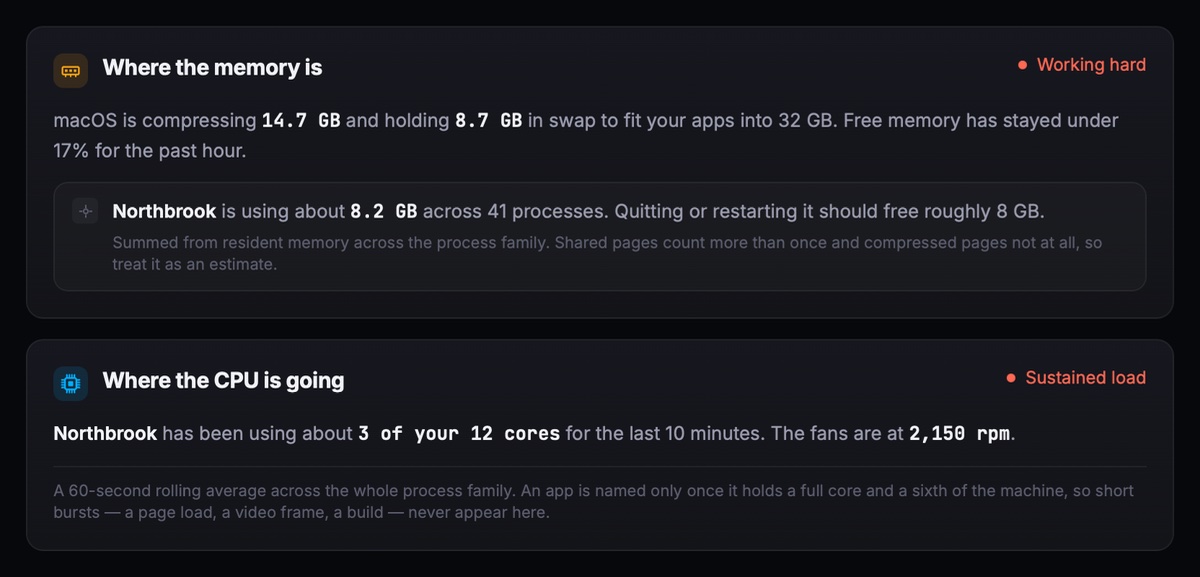
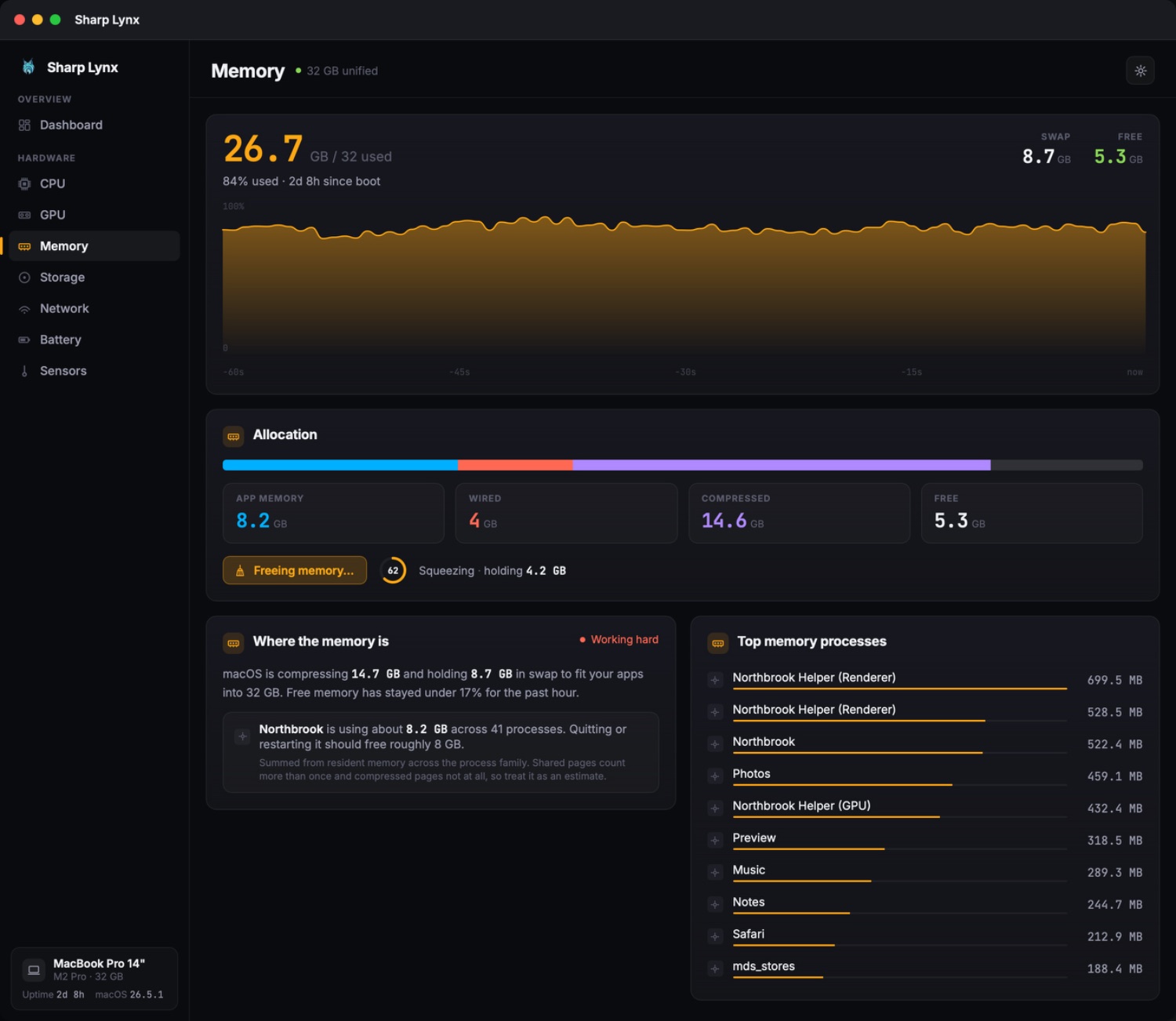
Every monitor can tell you memory is full. Sharp Lynx tells you what macOS is doing about it, which app is behind it, and what quitting that app would give you back — in plain sentences, on the Memory and CPU pages.
Measured, never guessed.
- An app is named only once it holds a clear lead over the runner-up and a real share of the machine — short bursts, a page load or a build, never appear
- CPU is stated in cores, not percentages: three of your twelve cores means something, 320% doesn't
- Sustained load only — a 60-second rolling average across the whole process family, so one busy second never names anyone
- Every estimate says it is one, and says why it might be off
A state, not a score.
The card carries one word for how the machine is coping — comfortable, working hard, under pressure — taken from what macOS itself reports, not from a number we invented.
On a Mac with room to spare it says so and stops. There is no advice, no grade, and nothing to dismiss.
Free Up Memory
Free up memory,
in one press.
The feature asked for most often in reviews. It purges inactive and cached pages, then tells you what it actually got back — including when the answer is nothing.
- A broom button on the Memory page, the dashboard Memory card and the menu bar popover — press it anywhere and every window follows along
- A progress ring while it runs, and a measured result when it finishes: how much came back, and how much swap it cost
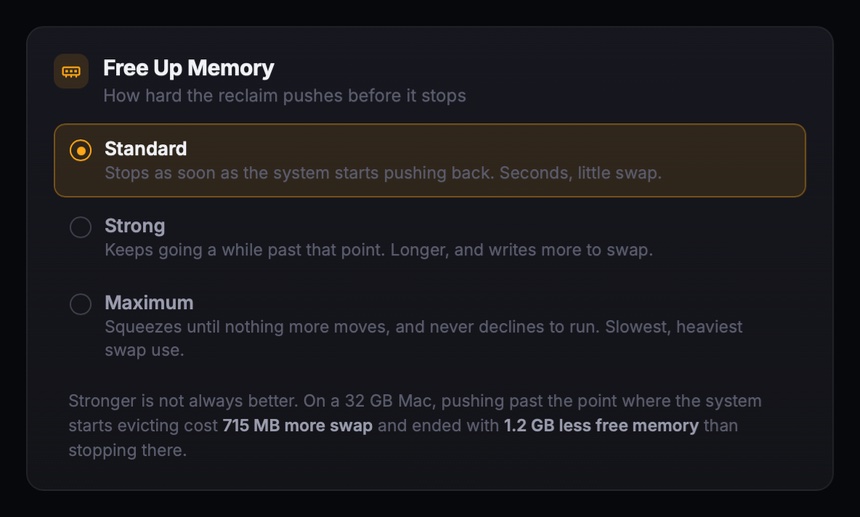
- Three strengths, from Standard to Maximum, if you want it to push harder
- No restart, no admin password, nothing to configure first
Stronger is not always better, and the app says so. On a 32 GB Mac, pushing past the point where the system starts evicting cost 715 MB more swap and ended with 1.2 GB less free memory than stopping there. The setting exists; the honest note sits next to it.
Menu bar
Always on screen.
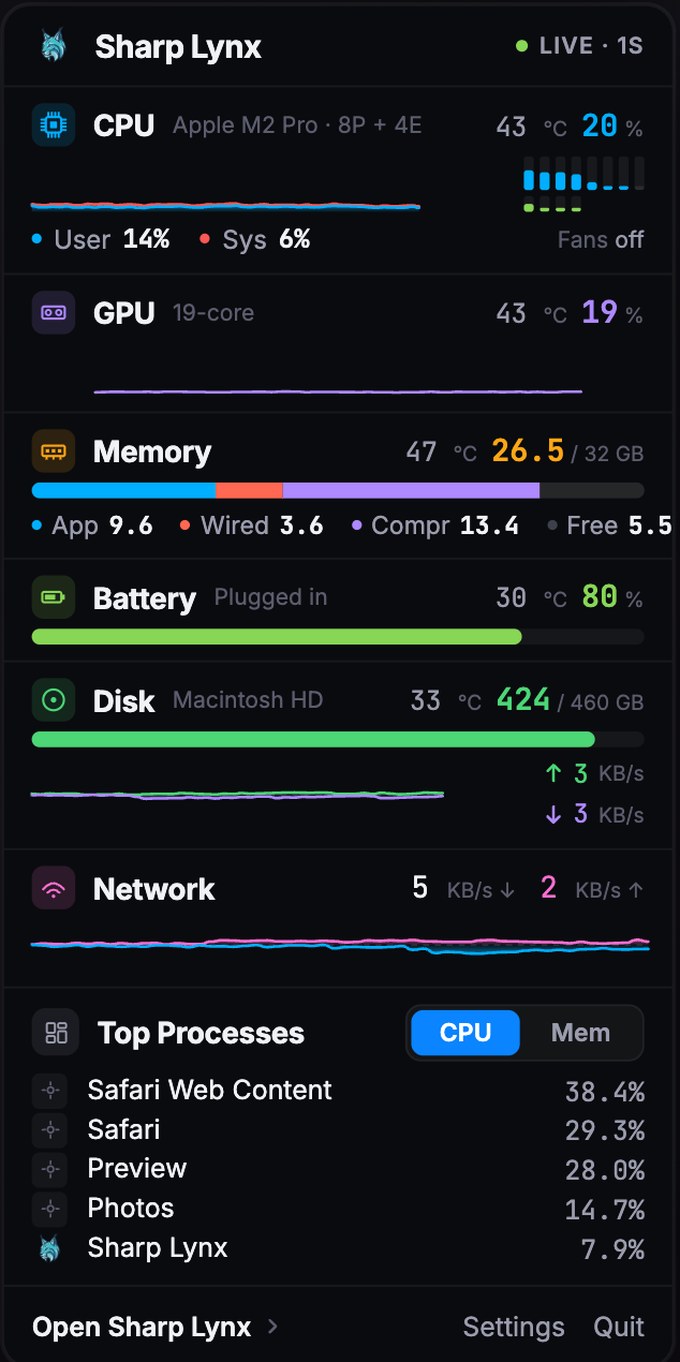
The numbers you actually watch, right there in the bar — no window to open, no clicking around. Every chip is optional and reorderable, so you can build a single CPU number or a full row.

Click for the detail.
One compact popover with every metric, its own chart, and the top five processes by CPU or memory — plus the app those processes belong to, and the broom, without leaving what you were doing.
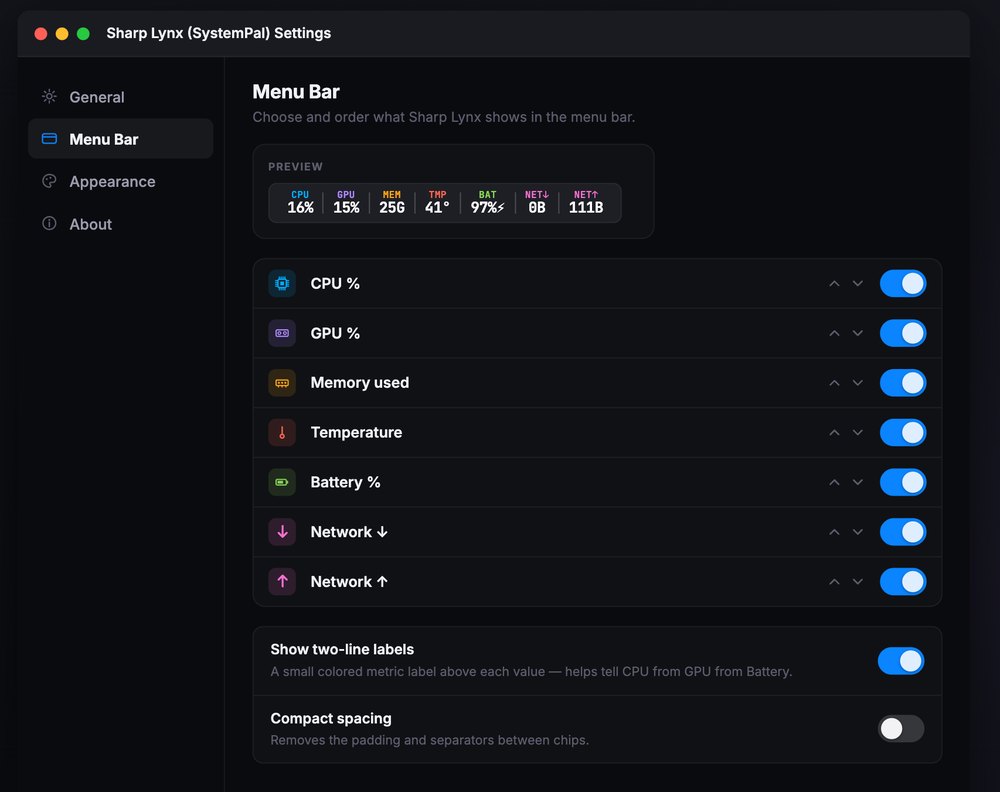
- Choose which metrics appear and drag them into the order you want
- Two-line labels, so you never have to guess which number is which
- Compact spacing to fit more into a crowded bar
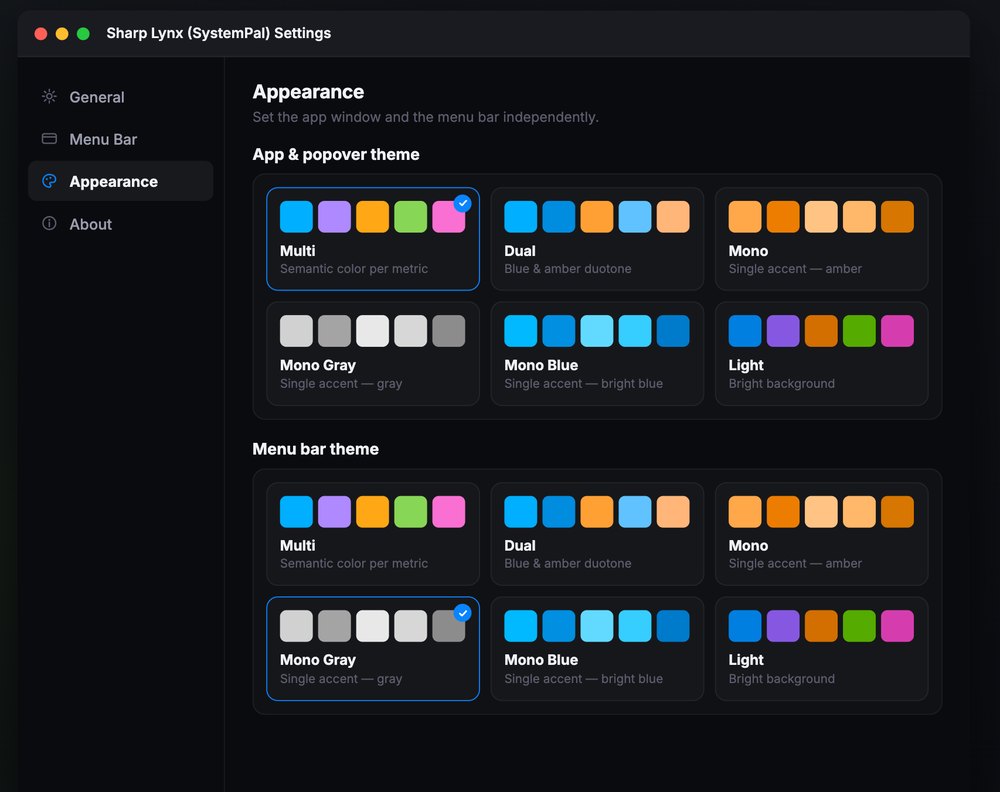
- The menu bar gets its own theme, independent of the app window
Reorder, relabel, compact.
Settings shows you the bar as you build it. Pick a display style — numbers only, graph only, graph with value, or minimal — set the order, and watch the preview update.
Dashboard
Not just a number
that goes up and down.
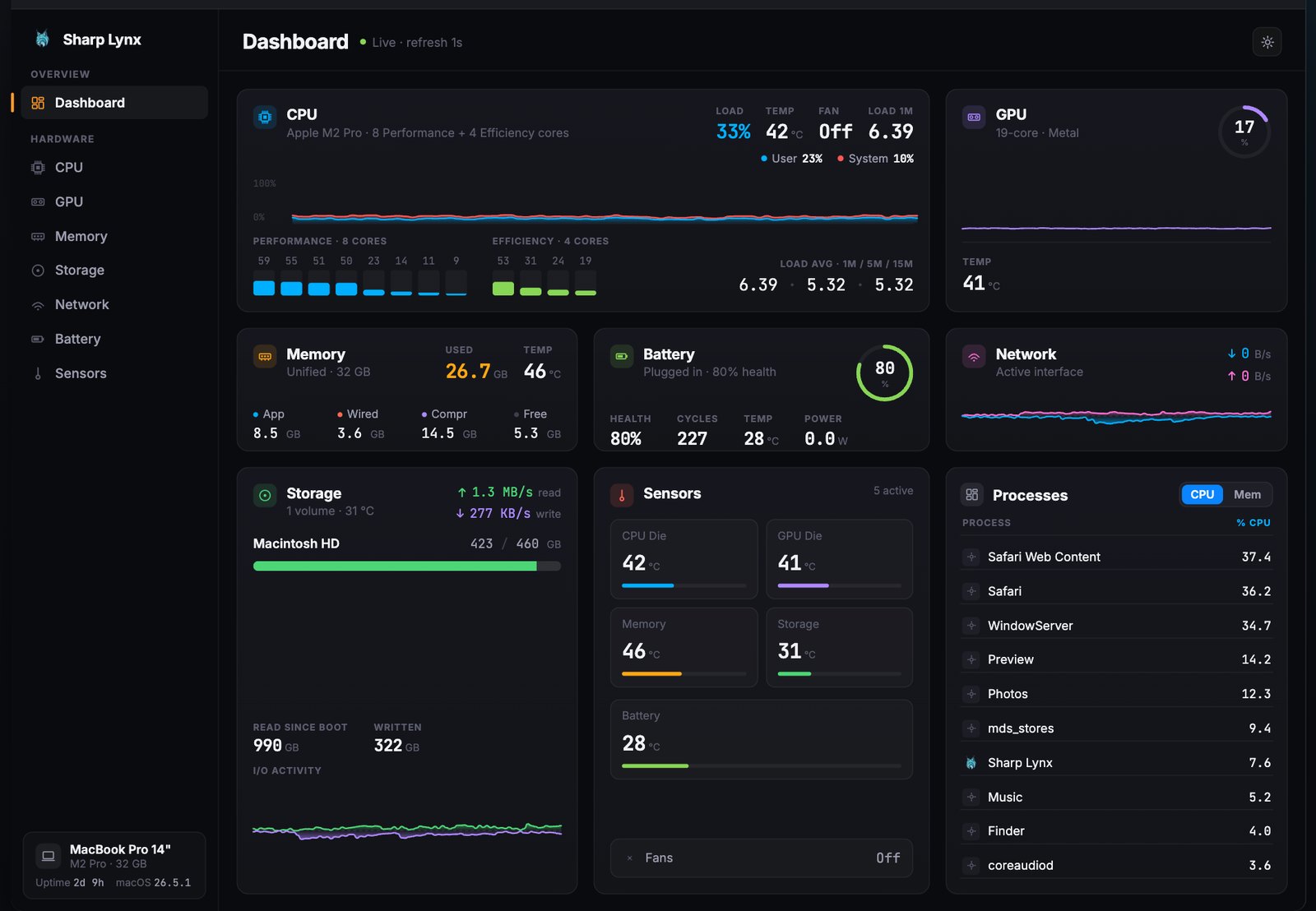
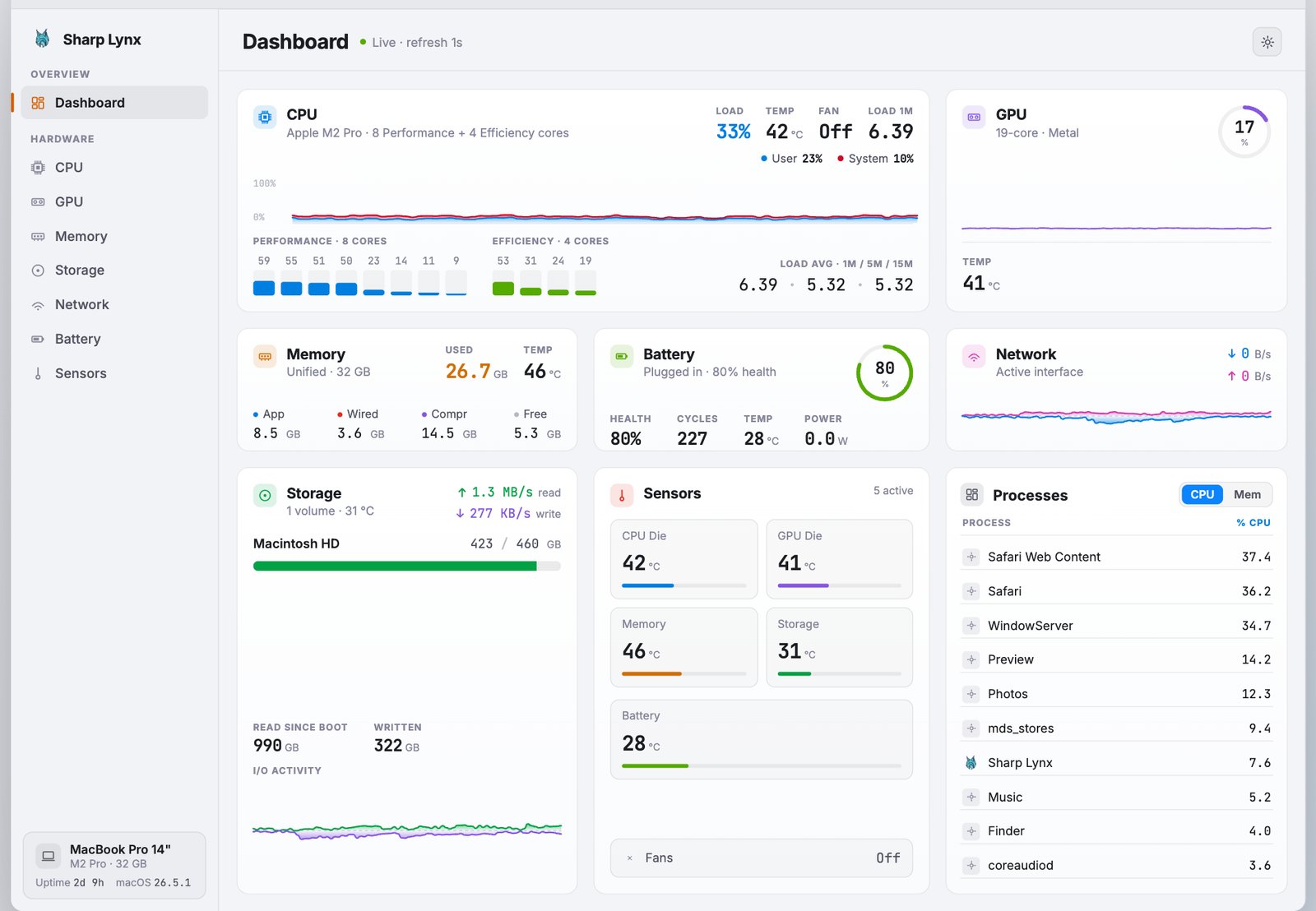
The breakdown behind it. Dedicated detail pages for CPU, GPU, Memory, Storage, Network, Battery and Sensors, each with a large live chart and the numbers that matter.
CPU
Live load with a stacked user / system chart, per-core bars split into Performance and Efficiency cores, load averages, and where the CPU is going.
GPU
Utilisation, die temperature and GPU memory in use, and how the work divides between the two halves of the pipeline — plus which apps are on the GPU and how much of its time each one is taking.
Memory
Used against total, the App / Wired / Compressed / Free breakdown, swap in use, and the one-press reclaim.
Storage
Capacity per volume, live read and write throughput, and how much has been read and written since boot.
Network
Download and upload on opposite sides of the axis, so a busy upload never hides a busy download.
Battery
Charge, health, cycle count and power in watts both ways — draw on battery, charging rate and time to full when plugged in. It also tells you when you are plugged in and still losing charge.
Plus Top Processes, sortable by CPU or memory — ten of them on the dashboard, and ten more on the CPU and Memory pages without scrolling.
Appearance
A look that fits your desktop.
Multi-colour (a semantic colour per metric), Dual, Mono Amber, Mono Gray, Mono Blue and a clean Light theme. The Mono Gray menu bar adapts to your wallpaper exactly like macOS's own menu bar items.
Sensors
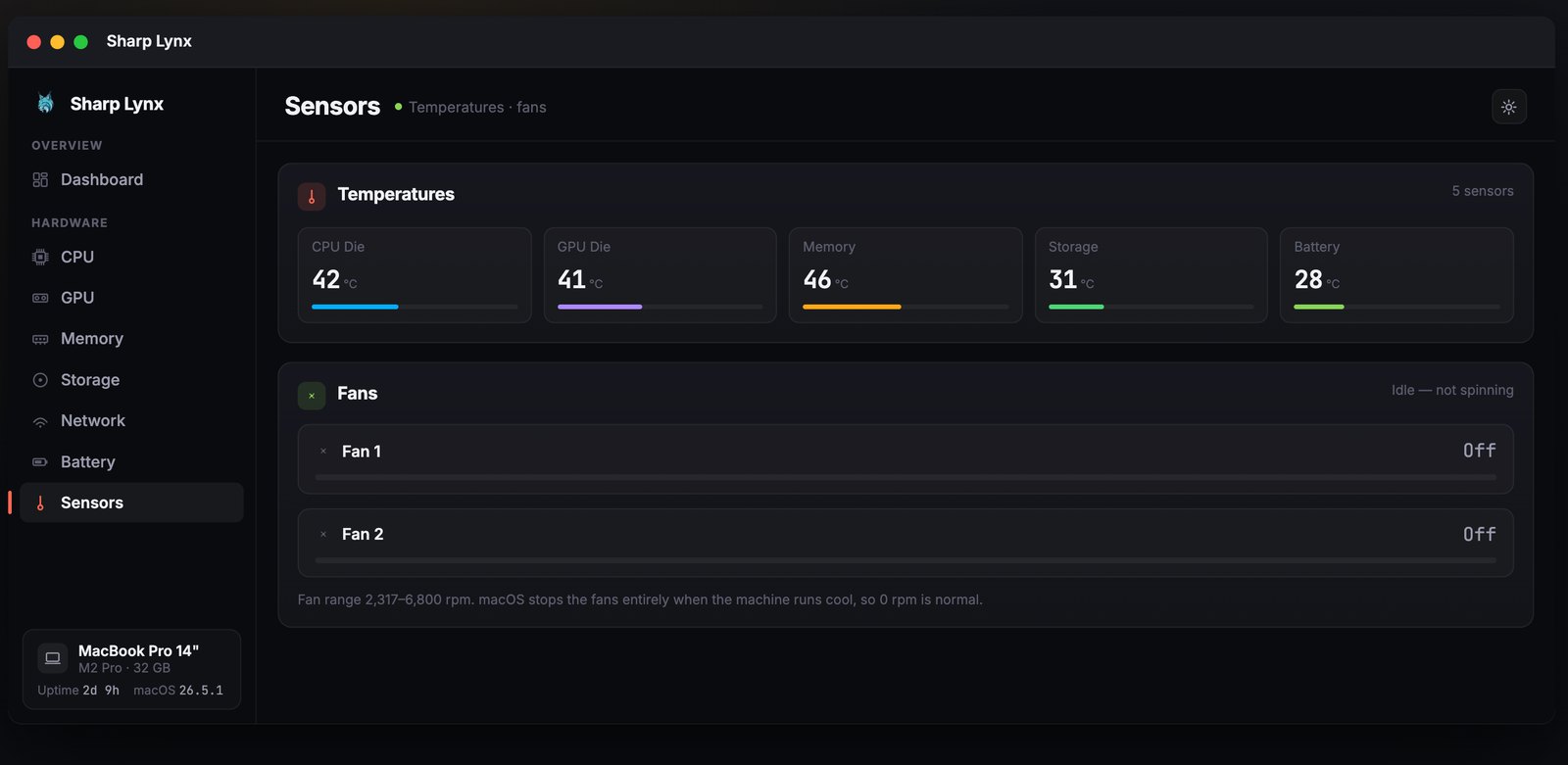
Temperatures and fan speed.
macOS doesn't expose thermal sensors or fan speed to sandboxed App Store apps. Sharp Lynx reads them through the free Sharp Lynx Helper, a small companion you download from this page.
The app will prompt you, and can start, stop and update the Helper for you. Sharp Lynx works without it — what you lose is temperatures, fan speed and the complete process list.
Privacy
Private by design.
No account. No tracking. No analytics. Nothing collected. Every number is measured on your Mac and stays on your Mac.
Companion app · Free
Sharp Lynx Helper
macOS does not let sandboxed App Store apps read thermal sensors, fan RPM, or the full list of running processes. Sharp Lynx Helper is a small, separate app — Developer ID signed and notarised by Apple — that reads them and hands them to Sharp Lynx.
You only need the Helper if you want temperatures, fan speed and the complete process list. CPU, GPU, memory, disk, network and battery all work without it.
How to install
- Click Download Sharp Lynx Helper above to get
SharpLynxHelper.dmg. - Open the downloaded
.dmgfile. - Drag Sharp Lynx Helper into your Applications folder.
- Launch Sharp Lynx — it will detect the Helper and start it for you. Temperatures and fan speed appear on the Sensors page, and Top Processes can name every process on your Mac.
Sharp Lynx can also start, stop and update the Helper from its settings, so you normally won't need to touch it again.
Previous versions
Use the latest Helper unless you are running an older Sharp Lynx that needs a specific one.
- Version 1.2 — 2026-08-26 Adds the complete process list. For Sharp Lynx 6.6 — Sharp Lynx 6.7 and later need 1.3.
Support
Questions, bugs, requests.
Write a review on the Mac App Store — we read every one, and we can reply to you right there.
If something needs a private reply — a crash, a licence question, anything you'd rather not put in a public review — email support@pop-hub.com.
Requires macOS 14 or later and an Apple Silicon Mac. Sharp Lynx is the rebuilt and renamed successor to SystemPal; if you already owned SystemPal, it's the same App Store listing.